- Security
- Privacy
- Performance
Avast Secure Browser is built from the ground up to put your privacy first: it helps block online tracking, annoying ads, and malicious sites so you can search, chat, and shop with confidence. Now we’re taking it further with six powerful new desktop features that boost your browsing security, prioritize your privacy, and give you more control over every click.




This Article Contains
This Article Contains
We’ve rolled out six major updates to Avast Secure Browser, each designed to make your online experience faster, safer, and more intuitive. These upgrades blend advanced threat protection, privacy-by-default design, and built-in intelligence to give you a browser that simply works — no compromises, no clutter, just confidence every time you go online.
Here’s what’s new:
1. Side panel: AI Chat, Notes, Games, and more – directly in your browser
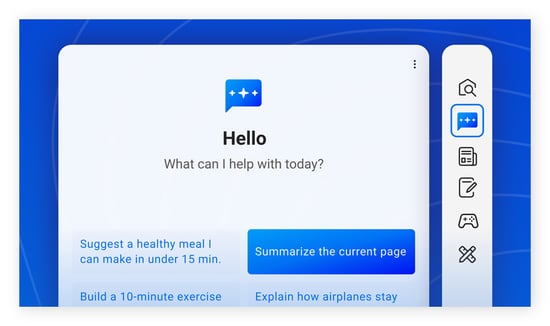
Avast Secure Browser now features a side panel that can be expanded or collapsed from any tab to offer easy access to several new modules:
Smart Chat
When you’re in the middle of something online, breaking focus to search for an answer or draft a quick reply can be frustrating. Smart Chat in Avast Secure Browser solves that by putting conversational AI right in the browser’s side panel. Ask questions, polish a post, or get quick explanations without jumping between tabs or tools.
Unlike typical AI assistants, Smart Chat is built with privacy first. This means your conversations are never used for AI training, and every request passes through a secure proxy that masks your IP address from AI providers. It’s the power and convenience of AI — designed to keep your data safe while keeping you in the flow.
Secure Notes
Keep your thoughts close at hand with an easy-access notepad built right into the side panel. Capture ideas as they come, outline tasks, or jot down reminders without leaving your current page. Everything stays organized and instantly accessible whenever you need it.
Search
Skip the tab overload. The side panel’s integrated search bar lets you look up information on the fly, with results appearing right beside your main page. It’s a streamlined way to find answers without losing your place or disrupting your workflow.
News
Get a quick pulse on what’s happening worldwide with instantly updated headlines, all available right from the side panel. It’s an easy way to catch breaking stories and stay informed without pausing what you’re doing online.
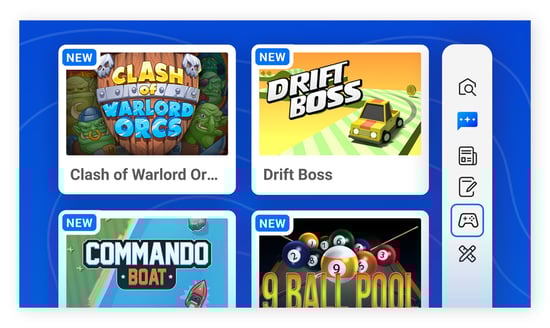
Games
Take a quick break without breaking your flow. The Games module offers a selection of simple, enjoyable titles — from in-panel classics like Brick Breaker, Snake, and Solitaire to modern games that open in a full tab for a bigger, more immersive feel.
Utilities
Access handy everyday tools in seconds. Use the built-in calculator, check global time zones with the world clock, or convert units for temperature, distance, weight, and more. It’s everything you need to stay productive, all in one convenient panel.
2. Built in antivirus: Stop malware in its tracks
Cybercriminals never stop innovating. They create convincing fake websites, hide malicious scripts inside ads, and disguise harmful malware downloads as everyday files. All it takes is one wrong click to turn safe browsing into a serious threat.
That’s why Avast Secure Browser now includes built-in antivirus protection that works in real time. Using a browser-optimized version of our award-winning antivirus engine, it automatically scans files, page content, and scripts to detect and block threats before they can do you harm.
While we still recommend installing our Avast Free Antivirus for always-on protection, our built-in browser antivirus will help keep you safe while browsing as long as you're using Avast Secure Browser.
3. New Tab Page customization: Make it truly yours
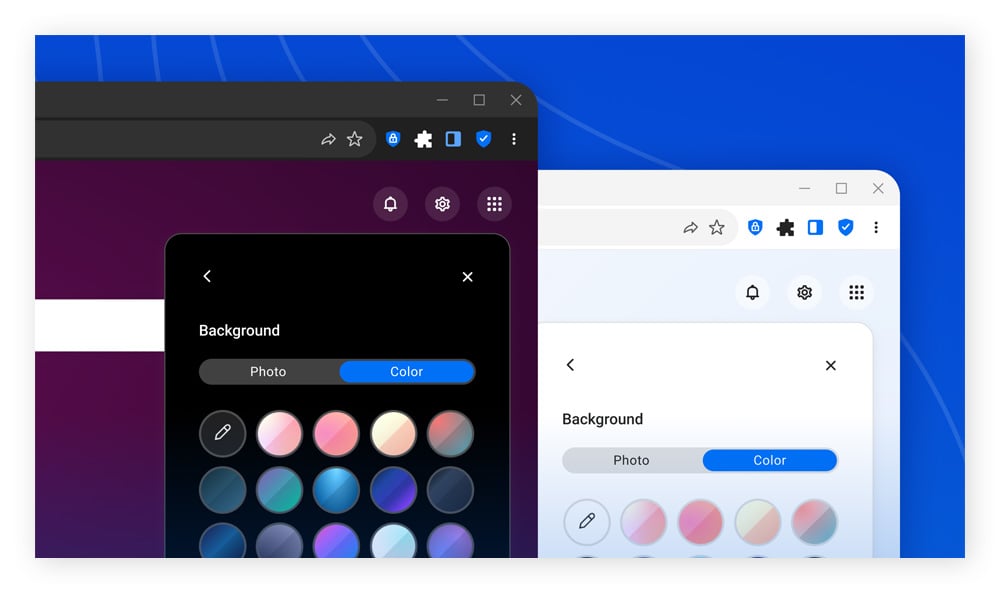
Our main browser screen, the New Tab Page that’s shown whenever you open a new window or tab, has been redesigned to offer greater customization and new widgets for instant access to local weather, news, and trending stories.
You can now customize the background by selecting between a collection of striking visuals, cycling through them with a rotating daily image, or uploading your own photo or artwork. For a more minimalist view, you can also opt for a solid background color or a soothing gradient. Whatever you’re looking for, we’ve made it easy to customize Avast Secure Browser to match your personal style.
The rest of the New Tab Page is just as customizable, with the ability to show or hide new widgets, like a local weather tile and top stories from categories like News, Entertainment, Sports, and Travel.
4. Redesigned Security & Privacy Center: Put yourself in the driver’s seat
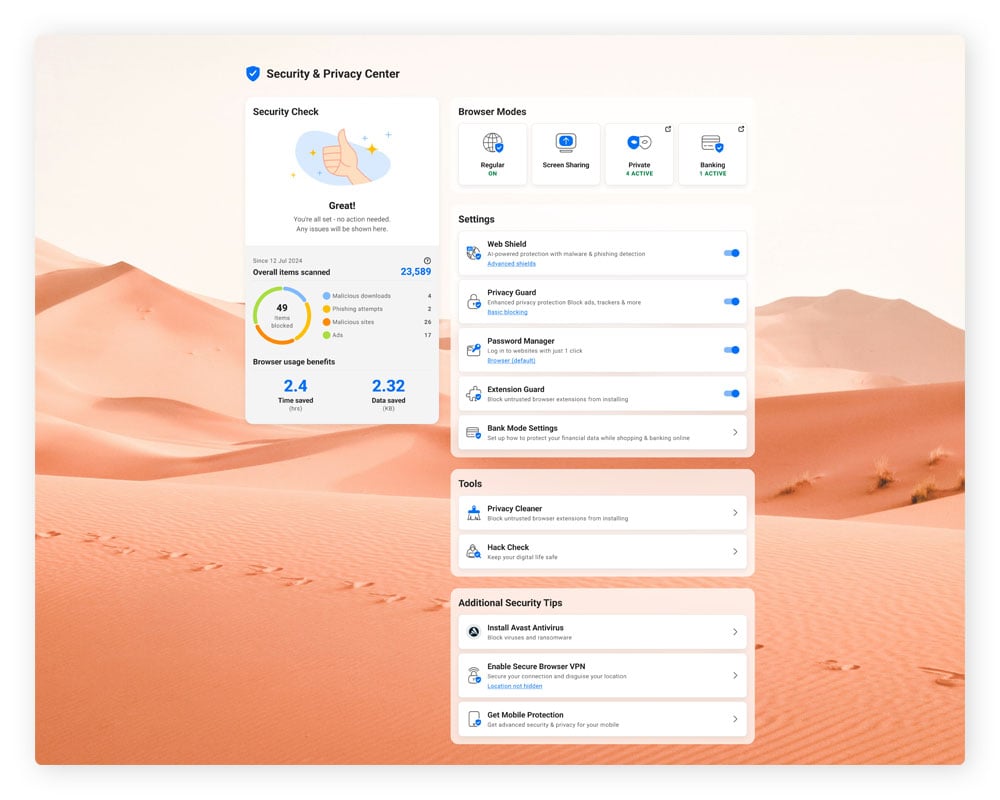
Adjusting your browser’s security settings shouldn’t feel like a scavenger hunt. The new Security & Privacy Center in Avast Secure Browser brings everything together in one clear, easy-to-use dashboard — so you can manage your privacy and protection tools without guesswork.
The refreshed design introduces a clean, modern layout that shines in both light and dark mode. Settings are intuitive, descriptions are straightforward, and you can instantly see which features are active. It’s a smoother, smarter way to stay in charge of your online safety and browsing experience.
5. Video Downloader: Save high-quality video & audio for offline Viewing
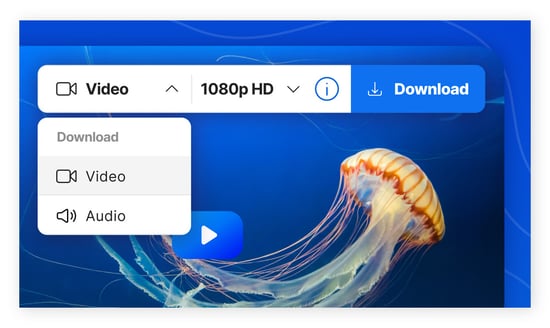
Want to binge your favorite YouTube content on a long flight? No problem. Avast Secure Browser now includes Video Downloader, an extension that lets you save online videos as high-definition video or audio files for offline playback.
You can even queue several videos for download at the same time and pick the resolution that best suits your needs — whether you’re aiming for maximum clarity or a faster, more lightweight download. And, if you only need the soundtrack, you can save just the audio for a smaller file that’s perfect for listening on the go.
Right now, the tool works for YouTube videos with no known royalty or copyright claims, and we’re working to support additional platforms in the near future. To try it, simply hover your cursor over a video and click the download option that appears in the upper-right corner.
6. URL Cleaner: Keep your links short, sweet... and private
Websites often attach tracking codes — such as utm_source or fbclid — to the links you click. These small snippets at the end of a URL allow advertisers and analytics teams to follow your activity across the web.
Like cookies, these tags give websites insight into visitor behavior, potentially including where you came from, which pages you viewed, and how long you stayed. And when you share a tracked link, those tags go with it, passing on tracking data about your friends or colleagues, too.
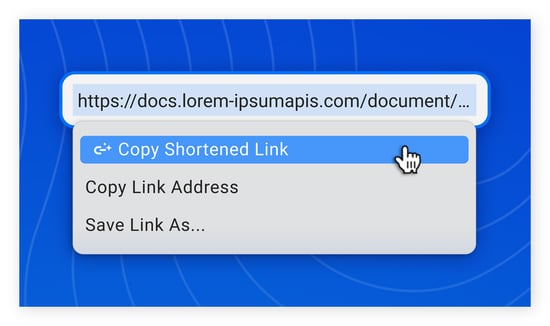
With our new URL Cleaner, you can now quickly and easily remove these tracking tags before you share a link. Simply highlight any link, right-click, and select “Copy Shortened Link” to strip all tracking tags and save a tracker-free link to your clipboard, ready to paste into an email, text, or social post. Recipients will land exactly where you intended — without carrying a trail of tracking data behind them.
A safer, smoother browsing experience — available now
These six updates are just the newest ways Avast Secure Browser puts you in control of your digital life. They join a rich suite of privacy and security tools, including a robust ad blocker, advanced anti-tracking, and an integrated password manager.
We believe everyone should be able to enjoy the internet safely and confidently, without sacrificing convenience. That’s why we’ve built a browser designed to protect you every time you go online. If you haven’t tried it yet, download Avast Secure Browser today to reclaim your privacy and security.
What customers say

More Privacy Articles

Six New Ways Avast Secure Browser Helps Keep You Safe, Private, and in Control

How to Remove Yahoo Search from Chrome

How to Delete Search History on iPhone and iPad

What Is DuckDuckGo and Is It Safe?

How to Stop Pop-Up Ads on Android Phones

What Is the about:blank Page? How to Use or Remove It

The Fastest Browsers to Use in 2026

How to Block Websites on Google Chrome
How to Make Chrome Your Default Browser

How to Fix “Your Connection Is Not Private” on Any Browser

How to Update Chrome on PC, Mac, Android, or iPhone

How to Download Chrome on Your Mac
Browser
Privacy
Alex Andrade-Walz
9-12-2025