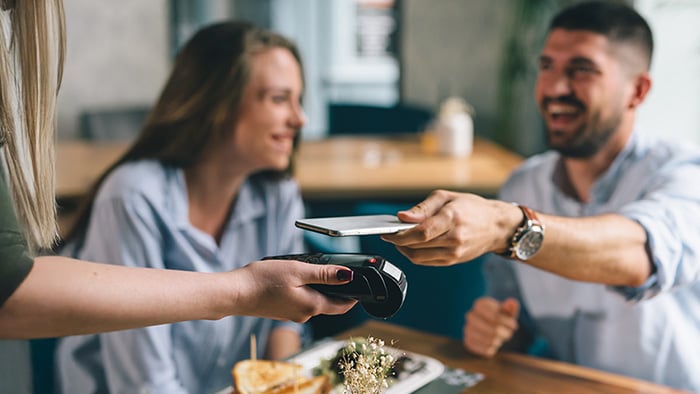
Apple Pay is a contactless payment system that lets you pay via credit/debit card on your iPhone. You can pay for almost anything in person or online with a tap or click. That means you no longer have to whip out your credit cards or even carry them with you. But what happens to your financial info after you give it to Apple? Is Apple Pay secure?
The quick answer is yes — Apple Pay is generally considered highly secure. According to a report by The Wall Street Journal, Apple Pay is “far safer than traditional credit cards” thanks to its tokenized payment system, which means your card number isn’t shared with merchants.
However, Apple Pay is not completely risk-free. According to Monica Eaton-Cardone, payment expert and founder of Chargebacks911, contactless payment processors can be hacked. Users may be particularly vulnerable to social engineering schemes, such as phishing attacks, that trick them into making payments or disclosing sensitive personal information.
Below, we’ll explain Apple Pay security in plain English. And, you’ll learn how to protect yourself (and your finances) while making contactless payments with Apple Pay.
How secure is Apple Pay?
Apple Pay isn’t perfect, but its advanced security features make it one of the most secure payment methods. Research on contactless payment systems like Apple Pay has found that “it is extremely challenging for thieves to clone [cards] for fraudulent purchases.”
When you add a card to Apple Pay, your actual card number is never stored on your phone. Instead, your device creates a unique Device Account Number (DAN), which is securely stored in the phone’s Secure Element chip. Each transaction then uses a one-time, dynamically generated token. Even if fraudsters intercepted the data, they couldn’t reuse it or access your real card details.
Tokenization, combined with bank-grade encryption and biometric authentication, means that even Apple can’t access your card information, further protecting your data and helping prevent criminals from making unauthorized payments, even if they access your phone.
While Apple Pay has some vulnerabilities, most relate to human error — meaning you would almost certainly need to fall for a scam or give someone access to your unlocked device to become a victim.
Apple Pay security features explained
Apple Pay’s security is based on four key pillars: tokenization, encryption, biometric authentication, and Lost Mode. Together, they minimize the risk of fraud, theft, or data loss at all points of contact (your device, the merchant, the bank, and Apple).
Tokenization
Tokenization is a security process that replaces your actual card number with a device-specific substitute called a DAN, which is stored in your iPhone’s Secure Element.
When you make a payment, this DAN is sent to the merchant along with a unique, dynamically-generated, cryptographic security code. Together, these values allow the merchant to authorize the transaction without having access to your real card number.
Even if a criminal or fraudster captured this data, they wouldn’t be able to use it in future transactions. That’s because each transaction requires a new, dynamically-generated security code from the Secure Element for that specific payment.
Encryption
Encryption scrambles data as it travels between parties — for example, from a buyer to a merchant or from a merchant to a bank. It converts sensitive information into unreadable code that can be unlocked only with the correct encryption key. To unauthorized parties, such as hackers, trying to intercept it, encrypted data is effectively useless.
Encryption works alongside tokenization to protect your DAN and security code during Apple Pay transactions. These details are decrypted only when they reach the payment processor, which verifies them and completes the payment.
Apple never has the decryption keys for your transactions — only your bank can verify them. Even when you first enter your card details on your device, that information is encrypted as it passes through Apple’s servers and is decrypted solely by your bank for verification.
Passcode and biometric authorization
Most Apple users are familiar with Touch ID and Face ID. These biometric security protocols make it easy to sign into your accounts, and they also increase the security of Apple Pay. Your face and fingerprint are unique, so only you can authorize transactions.
Your biometric data is processed and stored exclusively on your device. Apple doesn’t store it externally, like in cloud servers, so it can’t be stolen or manipulated unless someone manages to hack your phone itself.
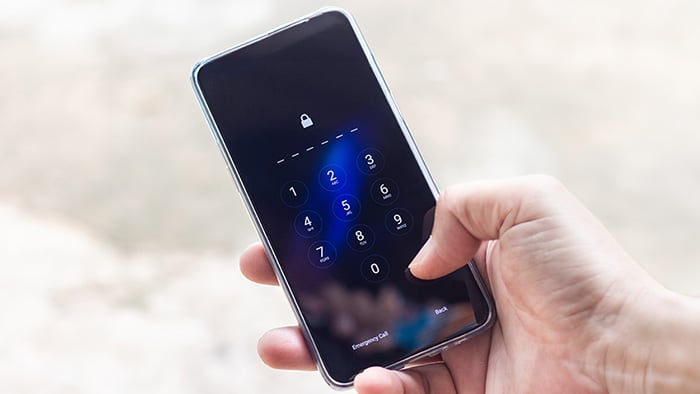
You can also use your Apple passcode, the 6-digit code you usually need to input when restarting or updating your phone, to authorize Apple Pay. But this passcode is less secure than biometric authorization, especially if you have a simple code (e.g., 123456), so it’s important to keep your code private and secure, just in case someone steals your phone.
Lost Mode and Remote Lock
If your phone is lost or stolen, you can use the Lost Mode function in Apple’s Find My app, available on iCloud or another device, to lock down its functionality and try to keep the criminal out. Activating Lost Mode automatically disables Apple Pay, preventing the thief from using any of the cards linked to your wallet.
If you later find or recover your phone, you can disable Lost Mode and resume using Apple Pay as if nothing happened.
So, is Apple Pay safer than a credit card?
Yes, in most cases, Apple Pay is safer than using a traditional physical credit card. Paying the old-school way by swiping your card’s magnetic strip is generally seen as one of the least secure ways to complete transactions, since the data isn’t encrypted.
Modern payment cards with RFID-enabled EMV chips and contactless payment functionality utilize tokenized payments, so they are more secure. However, they’re still vulnerable to being used freely after theft, and the data stored on them can be skimmed from ATMs or spied on by hidden cameras.
All Apple Pay transactions are encrypted and tokenized, so your credit card number is never revealed during transactions. And, even if someone steals your phone itself, they won’t be able to make payments without your biometric data or passcode. Plus, you have the option of locking them out completely with Lost Mode.
While Apple Pay isn't ironclad, it’s typically accepted as a much safer way to pay than using a physical credit card.
Are there risks to using Apple Pay?
There are risks to using any payment method, including Apple Pay. However, most of the risks aren’t due to issues with Apple Pay itself, but instead stem from human error or social engineering attacks such as phishing.
The biggest risk associated with Apple Pay is someone stealing your phone and being able to unlock it. This concern typically arises only if you use a weak passcode, but because your device passcode can override biometric security, using an easy-to-guess code or sharing it with others puts your money at risk. A strong, unique passcode is essential to helping keep Apple Pay secure.
Here are a few additional risks to keep in mind:
-
Apple Cash scams: Scammers may pretend to be a friend or family member and ask for money via Apple Cash, Apple Pay’s peer-to-peer service. With AI scams, deepfakes, and voice cloning on the rise, these impersonation scams are becoming harder to spot.
-
Phishing scams: Phishing messages often impersonate Apple or your bank and use urgency to push you into revealing sensitive information. While they can’t access Apple Pay remotely, they may attempt to collect your card details using convincing pretexts about “issues” with your account.
-
Malware: Apple devices are generally well protected from malware, but they’re not immune. Jailbroken phones are especially vulnerable, as third-party apps and altered system protections increase the risk of compromise. If malware infects your phone, a thief could extract data that puts your finances at risk.
And remember: Apple Pay doesn’t make you immune to fraud. Your card details can still be exposed through third-party data breaches, stolen physical cards, ATM skimmers, and other attacks. Monitor your bank and credit card statements regularly for any suspicious activity — even if you primarily use Apple Pay.
How to use Apple Pay safely
Just like using a physical card, there are more and less secure ways to use Apple Pay. These Apple Pay tips will help keep you safer when making contactless payments:
-
Use biometric authentication for payments.
-
Set a strong passcode and keep it private.
-
Keep iOS and banking apps up to date.
-
Enable two-factor authentication for Apple ID.
-
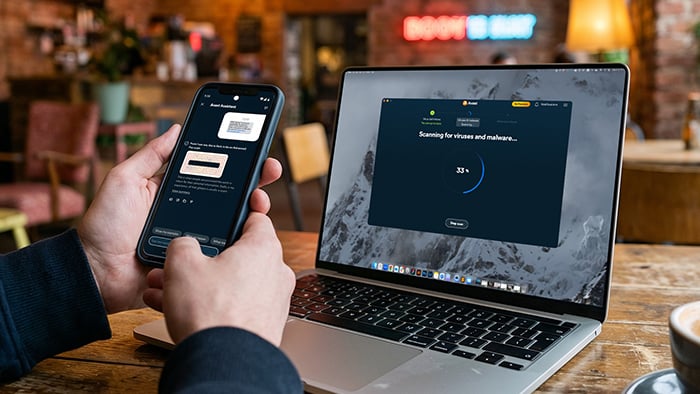
Combine Apple Pay with a reputable security suite like Avast Free Antivirus.
-
Do not jailbreak your device.
-
Be wary of emails and messages asking for account info or money.
-
Never tap or click on unknown links you receive via text, email, or social media.
-
Regularly check your transaction history.
Protect your transactions with Avast
Security experts agree that Apple Pay is a highly secure way to pay online and in person. However, the same experts are realistic about the limitations of contactless payments, and many recommend reinforcing your device with antivirus software.
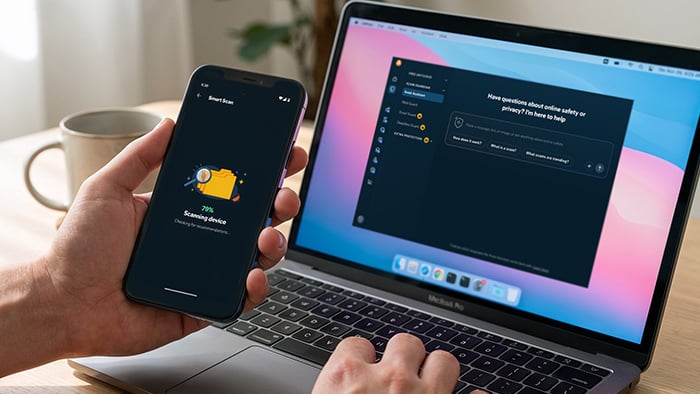
Avast Free Antivirus adds a layer of defense beyond Apple Pay’s built-in security. It can help you protect against phishing, help detect sophisticated scams, flag risky Wi-Fi networks, and much more, for powerful protection on all your devices.
FAQs
Can Apple Pay be hacked?
Yes, Apple Pay can theoretically be hacked on a technical level, but it’s highly unlikely. The overall Apple Pay system has never knowingly suffered a security breach. It’s also extremely difficult for hackers to breach a single device — so much so that it wouldn’t be worth attempting.
What should I do if I suspect fraud with Apple Pay?
If you believe you’re a victim of fraud, open the Wallet app, select the card, tap the three dots, go to Card Details, and choose Remove Card. If your phone is lost, use the Find My app to enable Lost Mode, which disables Apple Pay. For further help, visit Apple Pay support or contact Apple customer service.
But keep in mind, receiving a “fraud suspected” or “transaction declined for suspicious activity” message doesn’t mean your Apple Pay is compromised. It simply means your bank flagged the transaction as high-risk. You don’t need to block your cards or disable Apple Pay — just review the charge before proceeding.
How can I enhance my Apple Pay security?
You can enhance your Apple Pay security by being aware of common scams and reinforcing your protection against online threats with tools like antivirus software and a VPN. These tips will help improve your Apple Pay protection:
-
Use a strong passcode: Set a strong passcode on your device to protect against unauthorized access, and make sure not to share it with anyone.
-
Update your devices regularly: Turn on automatic updates to ensure you’re getting the latest patches and security features from Apple.
-
Download a security app: A security app can help you protect against phishing, malware, and risky Wi-Fi networks — all of which can threaten your device’s security.
-
Stay up to date on scams: Learning the latest social engineering tricks used by scammers can help you avoid falling into their traps and compromising your data.
Can card skimmers read Apple Pay?
No, card skimmers can’t read Apple Pay, because Apple Pay does not send your card number to merchants during transactions. It sends a unique, one-time code that’s verified by your bank. Each code is tied to a single transaction, so even if it’s skimmed, it’s useless to scammers.
Does Apple Pay have fraud protection
Apple Pay has strong security measures in place to protect your privacy and prevent your financial information from being stolen. But Apple is not a financial institution, so it can’t review your payments for fraud or access your accounts, payment history, etc. For this reason, Apple does not handle fraud protection. Your bank or card issuer verifies and approves every transaction made on Apple Pay, and they handle fraud protection for your payments.
Is Apple Pay safe if I lose my phone
Yes, your Apple Pay is likely safe if you lose your phone. Each payment requires Face ID, Touch ID, or your device passcode, so a thief can’t use Apple Pay without unlocking the device first. Still, you should turn on Lost Mode through the Find My app to temporarily disable Apple Pay if your phone goes missing, especially if your passcode isn’t very strong.