If your Avast Antivirus application features or components aren’t working properly, or your application isn’t updating as you expect, you can repair your Avast installation, or check out our Avast Support site for general troubleshooting tips.
In some cases, you may need to completely uninstall and reinstall your Avast Antivirus product. You can uninstall Avast via Apps & Features settings on Windows 10, with a dedicated Avast uninstall utility — Avast Clear — or, via Command Prompt.
This article contains instructions on how to uninstall Avast Antivirus using Avast Clear, then how to uninstall Avast Antivirus using the Command Prompt if Avast Clear isn’t successful.
Avast Clear can uninstall these current Avast Antivirus programs from your Windows PC:
Avast Clear uses a separate window to bypass the normal Avast uninstaller setup. This ensures Avast removal even if you receive the message that the “setup is already running.” If you can’t uninstall using the standard method, using this dedicated Avast removal tool ensures that Avast can still be uninstalled.
Here’s how to uninstall Avast on Windows 10 using Avast Clear:
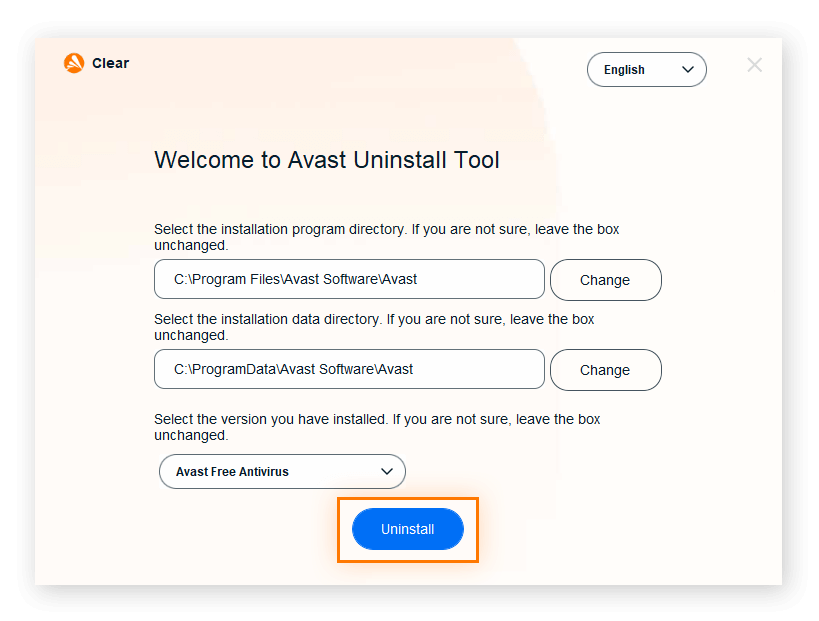
For instructions on how to uninstall Avast with Avast Clear on Windows 7 and Windows 8, check out our Avast Support guide.
You can’t uninstall Avast in the standard way while the setup is already running — you need to stop the setup first, then uninstall via Avast Clear. The “setup is already running” dialog pops up if you try to uninstall Avast while virus definitions are updating in the background, or if you already started the removal process.
Here’s how to stop the Avast setup and force Avast to uninstall:
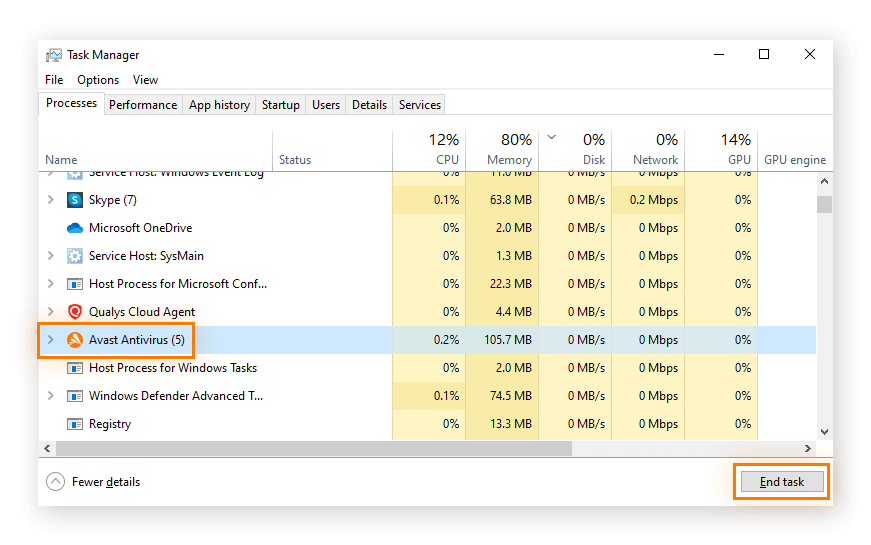
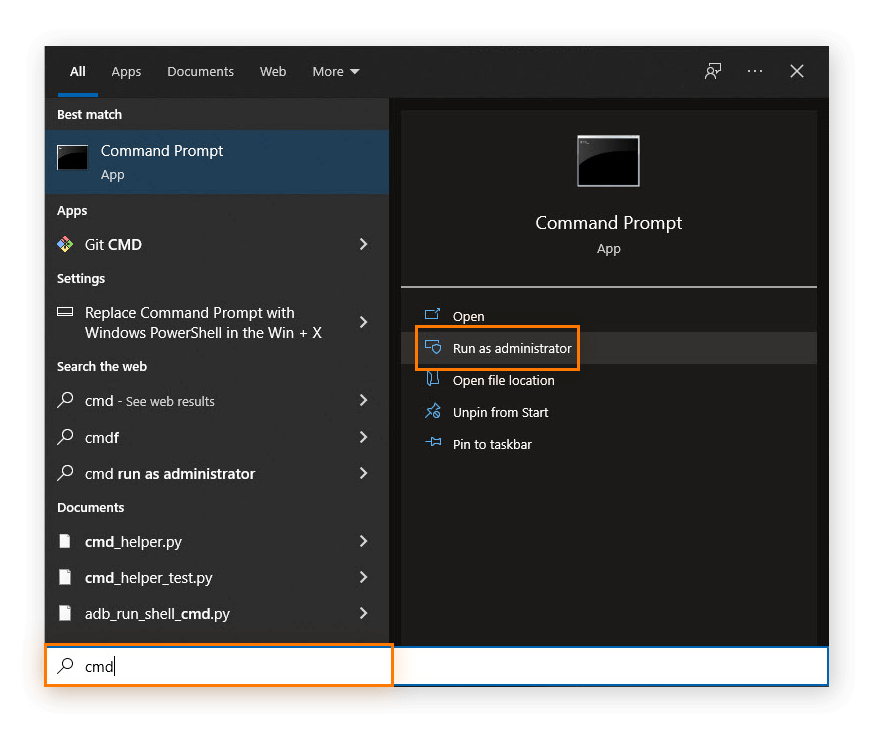
You can uninstall Avast using the Command Prompt if the Avast Clear uninstaller doesn’t work. We only recommend trying this method if uninstalling Avast with Avast Clear isn’t successful.
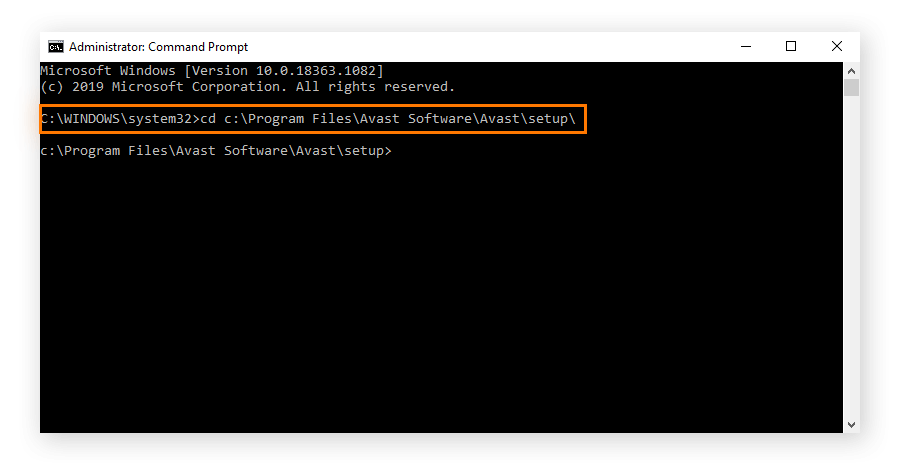
Here’s how to uninstall Avast Antivirus using the Command Prompt on Windows 10:
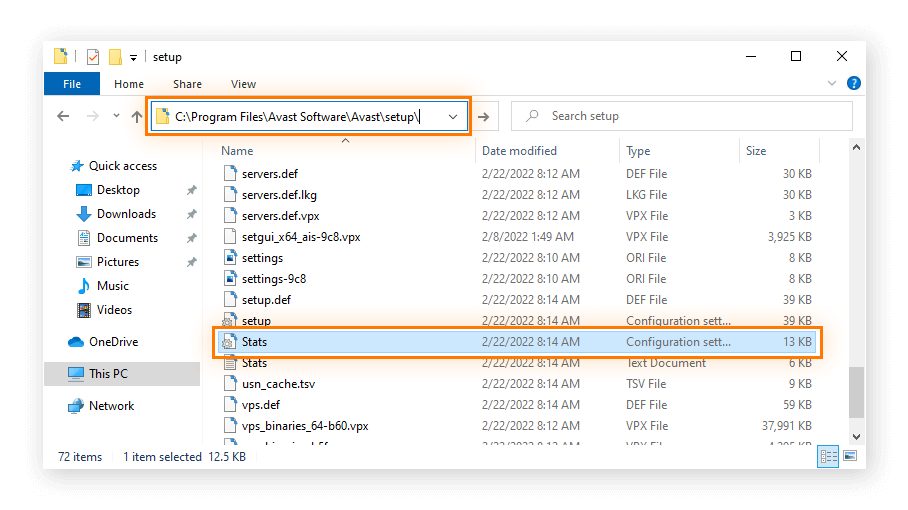
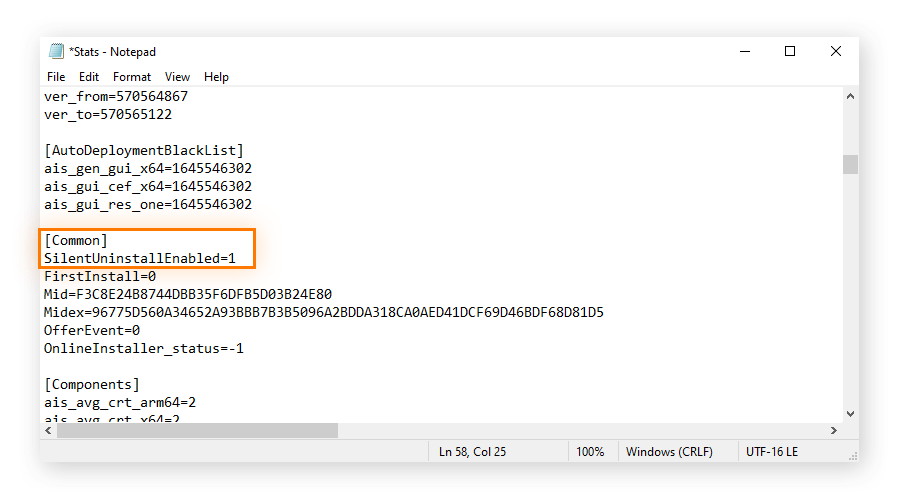
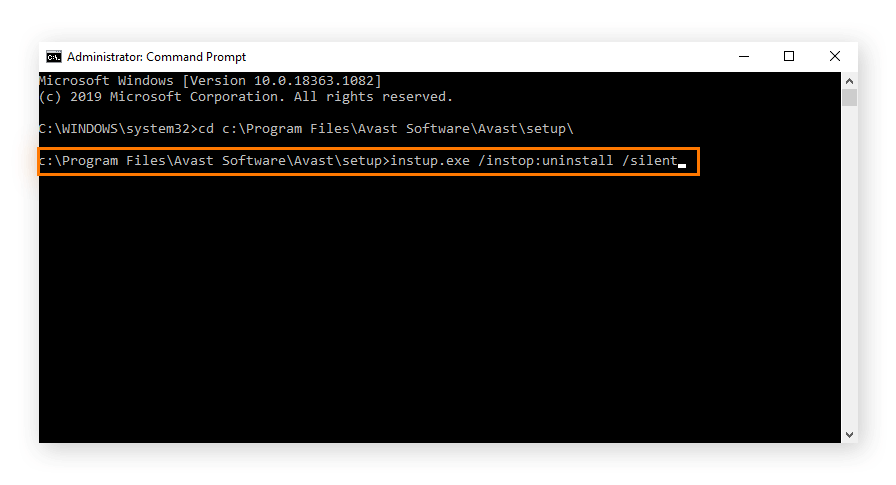
Tip: If uninstalling via Command Prompt doesn’t work, disable Self-Defense settings in Avast Antivirus via Settings > General > Troubleshooting, and untick Enable Self-Defense. Then, try to uninstall via Command Prompt again.
 © 2026 Gen Digital Inc.
All rights reserved.
© 2026 Gen Digital Inc.
All rights reserved.