- Security
- Privacy
- Performance
There’s a sneaky cyberthreat capable of hiding in public USB charging ports: juice jacking. Plugging your phone into a compromised port could leave you vulnerable to attackers silently stealing your data or installing malware. Explore this growing risk for travelers, commuters, and cafe-goers, and learn how a reliable security app can help protect your device and data.







This Article Contains
This Article Contains
What is juice jacking?
In simple terms, juice jacking happens when hackers tamper with public USB charging stations, turning them into digital ambush points. The moment you connect your phone, tablet, or laptop to a compromised port, the hacker can secretly steal data from the connected device or inject it with malware that may spy on you, track your usage, or even grant remote control.
Here’s some more detailed information about these two main potential consequences:


While mobile phones are the most common targets, any device with a USB connection — from smartwatches and iPads to laptops — can fall victim. So the next time you reach for a free public charger, remember: not every “watering hole” is safe.
How does juice jacking work?
Cybercriminals exploit the dual-purpose nature of USB ports to turn public charging into a data-exfiltration and/or infection exercise. USB ports are designed to transfer power and data. One pin charges a device, while the other pins sync files or “talk” to a host computer. Take charge of these pins, and you have a handy gateway into (and back out of) the connected device.
So, when a user plugs into a compromised port and the device accepts the connection (or if they tap “Trust”/“Allow”), the attacker controlling the USB pins could have the power to pull files, contacts, photos, or wreak other kinds of havoc.
By default, many older devices automatically initiate a data session when connected via USB, making light work for attackers. Failing that, hackers get creative with social engineering techniques to manipulate users into granting access to their data.
One such example is ChoiceJacking. This sophisticated new technique forces your phone to accept a data connection and confirm the “allow data transfer” prompt without your informed consent. You won’t even know it’s happening!
There are three common variants of ChoiceJacking:
-
Keyboard and Bluetooth (iOS & Android): The charger first emulates a USB keyboard to enable Bluetooth, then reconnects as a computer and confirms the connection via a Bluetooth keystroke.
-
Keystroke flood (Android): The charger spams keyboard input, disconnects, reconnects as a computer, and the leftover keystrokes inadvertently confirm data mode.
-
AOAP exploit (Android): This misuses the Android Open Access Protocol (AOAP). The malicious port connects as a computer, and when the confirmation screen appears, it sends the necessary keystrokes via AOAP.
It’s important to note that only a modified USB port or cable is required for juice jacking. And hijacked charging points often look legitimate, making it difficult to spot any red flags.
Common scenarios and risks of juice jacking
Picture it…you’re bored in an airport lounge, your phone’s on 3%, and you spot a free charging station beside the coffee counter. It’s tempting to plug in and check your messages, but you could be unknowingly handing over access to your phone and personal data.
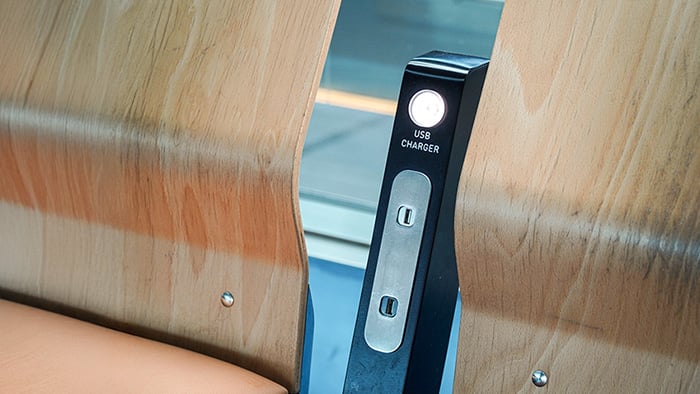
This is how juice jacking often strikes: quietly, conveniently, and without warning. These attacks thrive in busy public spaces like airports, train stations, cafes, hotels, and conference halls. Basically anywhere tired, distracted travelers and busy commuters might want a quick charge.
But while you’re sipping a latte, a malicious charging port might be stealing information by triggering a data connection, exploiting device vulnerabilities, or using sophisticated techniques to masquerade as a keyboard or network adapter.
Once connected, attackers can copy contacts, photos, or install malware like keyloggers that record what you type. Sensitive information could be exposed in seconds, including financial account logins, two-factor authorization tokens, or business files.
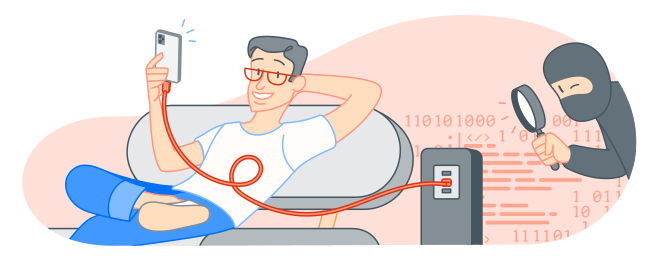
Juice jacking is often paired with other cyberattack techniques. For example, a cybercriminal might control a compromised charger plus a rogue public Wi-Fi hotspot to intercept traffic. The result is a double punch: your phone is infected, and your traffic is being monitored in real time.
Look out for these real-world juice jacking setups:
-
A public charging kiosk at an airport or in a cafe, that obscures hidden electronics that act as a host.
-
A tampered “fast-charger” cable left in a hotel lobby that installs spyware when plugged into a laptop.
-
A USB power bank loaned by a stranger that contains a small computer for data extraction.

How to prevent juice jacking
Now you know how juice jacking works and what the risks are, you’ll be wondering how to protect yourself. The good news is, with some smart habits, you can safely charge your devices even when you’re rushing about.
Use your own charging equipment
The simplest defense against juice jacking is to abide strictly by the motto: “If it’s not yours, don’t touch it.” Use your personal charging cable and power adapter, and plug into a regular wall socket instead of a public USB port. Or better yet, bring a portable power bank. That way, you’ll be sure you’re only drawing power, not the attention of cybercriminals.
Invest in USB data blockers
USB data blockers — sometimes cheekily dubbed USB condoms — help protect your phone by blocking anything unwanted. It slips between your cable and the charging port, passing power but not data, so you stay fully charged without catching anything nasty from a juice-jacking cable and a compromised connection.
Disable data transfer on your device
Even the smoothest hacker can’t steal what your phone won’t share! Many smartphones offer the option to disable data transfer. Check your device settings and turn off data transfer capabilities before charging in public places.
To help prevent juice jacking on an iPhone, tap Don’t Trust when connecting to an unfamiliar computer or charger. For Android, go to Developer Options and disable USB debugging, or choose Charge only when prompted.
Keep your software updated
A top tip to help prevent juice jacking is to keep your devices and all apps rigorously updated. Hackers love outdated systems — they’re like unlocked doors. Regular software updates close those gaps, patching vulnerabilities that could make juice jacking or other attacks easier.
Phones are our constant companions, so it’s essential to keep them safe. Follow these troubleshooting tips to update your iPhone. And here’s how to update apps on an Android.
What to do if you suspect juice jacking
If you suspect your device has been a victim of juice jacking or USB hacking, act quickly to mitigate the damage. Instead of panicking, leap into action with these steps:
-
Unplug immediately: Disconnect your phone or device from the suspicious USB port.
-
Turn off connectivity: Disable Wi-Fi, Bluetooth, and mobile data to halt any data transfers.
-
Run a security scan: Use trusted cybersecurity software, like an antivirus app, to check for malware, including viruses and spyware, as well as unusual background activity.
-
Change your passwords: Assume your credentials were stolen. Update your logins for your accounts, especially those that contain sensitive information, like email, banking, and social media.
-
Monitor your accounts closely: Watch for strange logins from new devices or locations, as well as password resets and mysterious transactions.
-
Consider a full reset: Hopefully, this won’t be necessary, but if your device is behaving oddly and showing signs of phone hacking, consider performing a factory reset to help banish lingering malware. Just remember this will permanently delete your data, so make sure to create a reliable backup first.
Remember that speed matters here — the sooner you act, the better your chance of stopping data theft and minimizing damage.
Help protect your devices with Avast
Although it might not be common, juice jacking is a real threat that’s worth protecting against. The tips above will help you spot risky situations and start taking better care of your data, but you can stay even safer with Avast Free Antivirus, a free tool that offers real-time malware protection and device scanning to help keep your data and device secure.
What customers say

More Security Articles
Is ChatGPT Safe?

Is BlueStacks safe?

What Is Riskware and How to Avoid It

Is Roblox Safe for Kids?
Juice Jacking: What It Is and How to Protect Your Devices

What Is Hugging Face?
What Can Scammers Do With Your Number and How Can You Help Protect It?
What Is CAPTCHA and How Does It Work?

What Is DNS Poisoning and How to Protect Your Data

What Is a Swatting Incident and How Does Swatting Work?

How to Keep Kids Safe Online

Has My Twitter Account Been Hacked?
Other Threats
Security
Nicola Massier-Dhillon
15-12-2025