- Security
- Privacy
- Performance
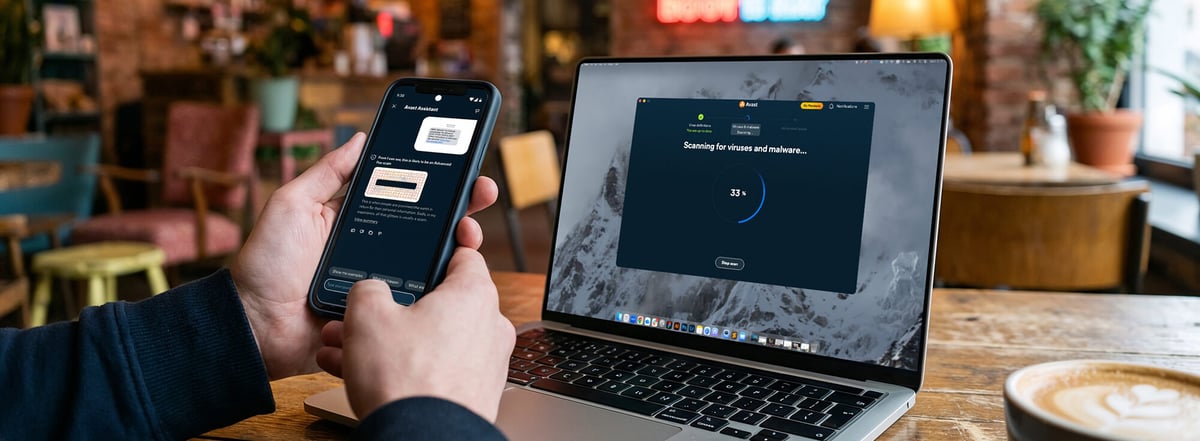
The new Avast One is a refreshed, modular, all‑in‑one app for everyday digital protection. It brings together essential security, privacy, and performance tools in a single app, so you don’t have to juggle multiple products. Core protection is available for free, with optional free and paid add‑ons you can activate as needed, giving you a setup that fits your life without unnecessary extras.





This Article Contains
This Article Contains
Why Avast One was updated
We’ve overhauled Avast One to better reflect how people lead their digital lives. The updates we’ve made maintain strong, core protection while making the experience clearer, more flexible, and more in-sync with users’ needs as AI-enabled attacks and sophisticated scams surge — meaning you can say goodbye to juggling separate apps, overlapping tools, and rigid bundles.
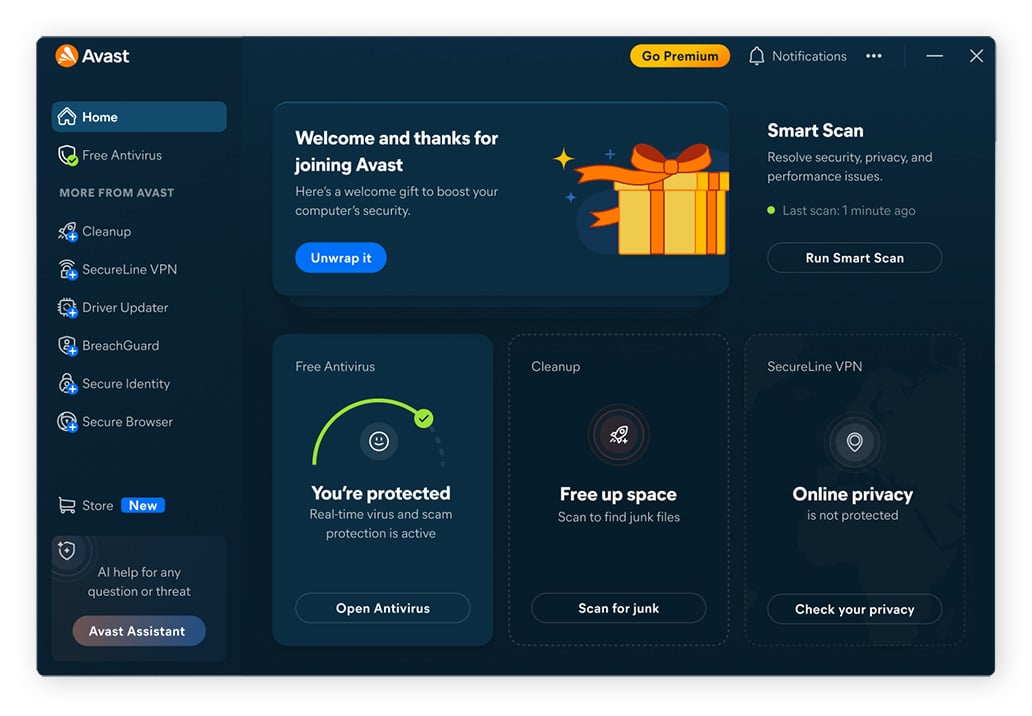
Avast One means fewer apps to manage and a clearer sense of what’s protecting you at any moment. By bringing security, identity protection, privacy, and performance into a single, modular app that you can tailor to your specific needs, Avast One aims to deliver more control while relieving you from digital clutter.
How does Avast One work?
Avast One starts with a free antivirus foundation for all users and lets you build on it with extra tools (both free and paid) as your needs evolve. Everything is managed from a single dashboard, so you can see what’s protecting you and activate new modules without juggling multiple apps.
Start with a powerful foundation
With Avast One's customizable design, you can start with antivirus, a VPN, or our Cleanup utility, then add additional features as you go. And no matter which feature you set up first, you can turn on free antivirus alongside it for built‑in scam and web protections that help block dangerous links, attachments, and risky sites, for safer everyday browsing, banking, and shopping online.
Add the modules you need
On top of that core layer, you can choose extra security, privacy, and utility modules as your needs grow. You might enable the VPN to stay more private on public Wi‑Fi, use Cleanup tools to free space and speed up older devices, or add BreachGuard and other identity‑focused features to monitor data leaks and account risks. These modules now live within the same app and can be activated when they’re relevant, so your setup can expand or stay simple without switching products.
One app, one dashboard
Everything is managed through a single Avast One dashboard. From there, you can check your overall protection status, see which modules are active, and quickly navigate to specific areas like scams, privacy, or performance, if you need to check a suspicious email, enjoy the added privacy of a VPN, or give your device a cleanup. The goal is to make it intuitive to find things and know what to do next, instead of forcing you to hunt through multiple apps or settings menus.
Tools run in the background
Once Avast One is set up, most of the work happens quietly in the background. Real‑time shields, scam detection, and other tools keep watching for problems while you use your devices normally. You’ll see clear alerts and recommendations when something needs your attention, but otherwise Avast One is designed to stay out of your way and let you get on with your day.
Key features and benefits of Avast One
Avast One allows you to start with the essentials, then layer on more tools and features as your needs change. At its core are everyday security protections, with additional modules to detect scams and improve privacy, performance, and identity — all of which you can enable as you need them.
Protection from viruses and malware
Avast One includes advanced antivirus and real‑time threat detection designed to block malware, traditional viruses, and other unwanted software before they can cause damage. Web protections help stop you from downloading dangerous files or visiting known malicious sites, reducing the chance of infections that can steal data, lock your files, or slow your devices to a crawl.
Online scam protection
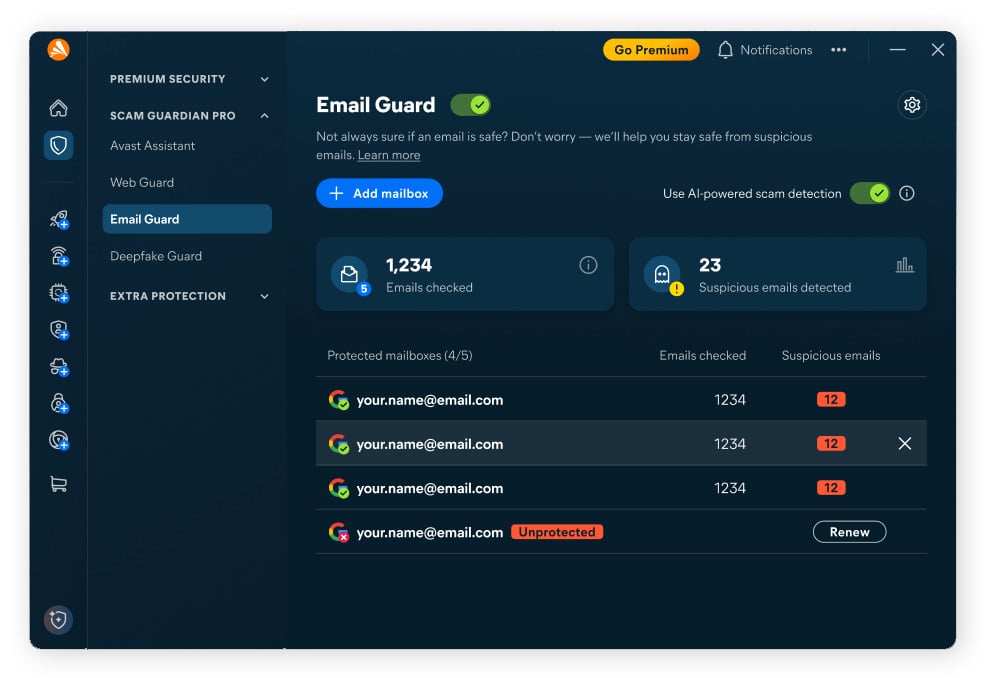
Built‑in scam protection features — including tools like the AI-powered Avast Assistant, Email Guard, and expert‑guided tips — are designed to help you spot and avoid modern scams. They can flag suspicious links and email attachments, warn you when a site looks unsafe, and give you guidance, so you’re less likely to be tricked into sharing passwords, payment details, or other sensitive information.
Staying private
Privacy tools such as VPN and anti‑tracking‑style protections help keep your browsing and online activity more private. A VPN encrypts your connection on public Wi‑Fi, hides your IP address from many sites and services, and makes activities like banking or shopping online more secure.
Anti‑tracking measures reduce the amount of profiling and cross‑site tracking that can follow you around the web, giving you more control over who sees what you do online.
Performance and device health
Cleanup and performance features are designed to keep devices feeling fast and responsive for longer. They can help you clear out junk files, remove unnecessary apps and browser clutter, and identify items that may be slowing things down, such as startup programs. The result is more free space, smoother performance, and devices that feel new even after years of everyday use.
Identity and data protection
Identity‑focused tools like BreachGuard help you stay on top of data breaches and leaks that involve your personal information. They can monitor for exposed email addresses and other details, show you where your information has appeared, and guide you through recommended steps to reduce the impact — for example, by changing your passwords or adding two factor authentication (2FA) to tighten account security.
What’s new compared to previous Avast products?
The updated Avast One experience brings protection and tools together into a single, more flexible hub that still feels like simple “all‑in‑one” protection, but now makes it clearer which tools you’re using and lets you turn extra modules on only when you need them.
Where previous Avast setups often meant juggling separate apps (antivirus here, VPN there, cleanup somewhere else) or choosing between fixed tiers, the updated Avast One organizes everything under one roof, so you can see what’s active, what’s available, and where to go next at-a-glance.
Key capabilities like the VPN have also been improved to offer a more modern experience, with richer options and wider location coverage. Together, these changes create a cross‑device platform where you can start in one place, extend protection to other devices, and keep using the same upgraded feature set as you move between desktop and mobile.
Get started with Avast One
Avast One is available directly from the Avast website as well as in major app stores, and it supports both desktop and mobile devices (including Windows, Mac, Android, and iOS). You can download it on whichever device you use most, sign in or create an account, and start with the free protection before deciding which additional modules to turn on.
Ready to give it a try? Download Avast One from our site or an app store to get started with your new, all‑in‑one protection.
FAQs
Is Avast One free?
Yes. Avast One is a free app that includes robust, essential security and scam protection at no cost. You can start with this free tier and then decide later if you want to add any paid modules for extra privacy, performance, or identity protection.
Does Avast One include a VPN?
Avast One includes a VPN with a 60-day free trial as part of its modular setup, which you can use to help secure your connection on public Wi‑Fi, hide your IP address from many sites and services, and add an extra layer of privacy when you browse, stream, or bank online.
Can I use Avast One on multiple devices?
Yes. Avast One is designed to work across desktop and mobile platforms, and many plans support protection on multiple devices under the same account. That means you can help protect your computer and your phone together, rather than managing separate products for each one.
How do I upgrade from Avast Free Antivirus to Avast One?
If you’re currently using Avast Free Antivirus, you can upgrade by downloading Avast One from the Avast website or your usual app store, then signing in with your Avast account. In some cases, you may also see in‑product prompts that will help you move from the standalone antivirus experience into the Avast One app.
What do I get for free with Avast One, and what’s only in the paid plans?
Avast One is a free app that includes core antivirus, basic scam and web protection, and key security features that help keep you safer online. You can also pay to unlock additional layers such as continued VPN usage beyond the 60-day trial, expanded identity and breach‑monitoring tools, and deeper cleanup and performance capabilities, so you can build out your protection as needed.
Will Avast One slow down my computer or phone?
Avast One is designed to run efficiently in the background and avoid getting in your way. Real‑time protections are optimized to minimize impact on performance, and the built‑in cleanup and optimization tools can even help improve responsiveness over time by removing clutter and unnecessary items that may be slowing your device down.
How is the new Avast One different from the previous version?
Compared with the previous version, the new Avast One keeps the all‑in‑one idea but is more flexible and modular. Instead of fixed tiers and separate apps, it groups security, privacy, performance, and identity tools in one hub, with clearer modules you can turn on as needed. It also adds stronger anti‑scam features, an improved VPN, and better cross‑device support.
What customers say

More Security Articles

Phantom Deal: Inside an Imposter Scam Targeting an Avast Employee

What Is UPnP?
Why is My iPhone in SOS Mode?
New Avast One vs Legacy Avast One: What’s Changed?
What Is the New Avast One?

Is Mercari legit? A guide to safe shopping and avoiding scams

Is WeTransfer Safe?

Is Poshmark Legit?
Is WhatsApp Safe?

Is Apple Pay Safe?
How to Bypass Apple Activation Lock (and Which Methods to Avoid)

Is Windows 10 Still Supported? It Is by Avast
Security Tips
Security
Oliver Buxton
17-04-2026