- Security
- Privacy
- Performance
Most people know computer viruses can be devastating — whether they’re stealing personal information, crippling performance, damaging files, or wreaking general havoc. But what are they really, and how do they work? Learn what you need to know about computer viruses in our guide, then install powerful antivirus software to help protect against common viruses and other online threats.






This Article Contains
This Article Contains
What is a computer virus?
A computer virus is a type of malicious software (malware) that attaches itself to a file or program, self-replicates, and aims to spread across more systems or devices. If an infected file or program is opened, the malicious virus code can “execute” and perform an unwanted action, like destroying data or stealing information.
Although the terms are often used interchangeably, there’s a difference between a virus and malware: all viruses are types of malware, but not all malware are viruses. Viruses are mainly defined by the way they spread, often capable of self-replicating even without user interaction.
They infect devices discreetly, typically after a user clicks a malicious link or downloads a compromised file. Once on a device, they make copies of themselves and seek other files or programs to infect, even crossing from one device to another. In this way, computer viruses act just like biological viruses that pass from one person to the next.
Computer viruses are a form of malware that attach to files or programs, self-replicate, and spread to other devices.
Some computer viruses are simply annoying while others can cause major damage. And while it’s true that viruses are rare on Macs and mobile devices, they’re still a risk worth knowing about. In fact, any device with internet access can be affected by viruses or other types of malware — even smart devices like virtual assistants.
Here are some of the potential ways a virus can cause harm:
-
It can affect overall device performance.
-
It can corrupt or delete files.
-
It can install adware that causes incessant pop-ups.
-
It can trigger program failure or operating system crashes.
-
It can target and stress device hardware, like processors or hard drives.
-
It can lead to malfunctioning apps, files, and other programs.
And, aside from causing these performance issues, computer viruses can also leave you vulnerable to worse consequences. Some are capable of stealing personal data like usernames, passwords, and credit card details, potentially leading to fraud or identity theft. Other viruses can spam all of your contacts with malicious emails or texts and try to trick them into downloading the virus as well, furthering the spread.
How do computer viruses work?
“Computer virus” is an umbrella term that describes many different types of malicious programs, which themselves use various delivery mechanisms and have diverse potential consequences. However, most computer viruses share several common traits, including the ability to replicate themselves to infect other files or systems and executing to cause harm after a trigger condition is met.
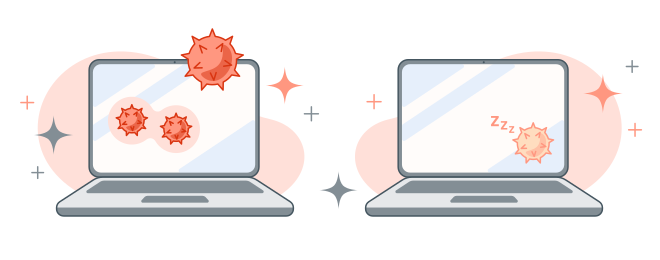 A computer virus can begin infecting your computer immediately, or it can wait for you to unwittingly trigger it.
Computer viruses typically follow four main phases, which broadly mirror biological infection cycles: dormant, propagation, triggering, and execution. Not every virus tracks this exact process, but it serves to describe the typical stages of infection, activation, and eventual damage.
-
Dormant phase: The virus infects a computer system, gaining access when a user downloads an infected file or clicks a malicious link. It attempts to stay hidden, typically sitting dormant for a while until the user takes an action.
-
Propagation phase: As it waits for user interaction that launches the infection, the virus self-replicates, stashing copies of itself in files, programs, or other parts of your disk. These copies will also self-replicate, creating more clones that continue to replicate exponentially.
-
Triggering phase: A specific action or event activates the virus. This could be a user action, like clicking an icon or opening an app, or through a logic bomb — hidden code that triggers after set conditions such as a certain date or number of times the computer has booted.
-
Execution phase: The virus’s program is executed and releases its payload, the malicious code that harms your device.
How do computer viruses spread?
Computer viruses can spread through almost any method of file sharing, as long as the virus can avoid detection by antivirus programs. Typically, viruses spread through malicious online downloads, infected email attachments, or compromised hardware like an external flash drive.
Here are common ways computer viruses spread and can end up on your computer:
-
 Emails: Emails like those used in phishing attacks can carry harmful attachments, malicious links, or even an infection right in the email body’s HTML.
 -
 Downloads: Hackers can hide viruses in apps, documents sent over file-sharing services, plug-ins, and most places where files are available to download.
 -
 Messaging services: Viruses can be spread through SMS messages or messaging scams orchestrated on platforms like Facebook Marketplace, WhatsApp, or Instagram, with hackers including malicious links or attachments in their messages.
 -
 Old software: If you don’t update your apps or operating system, you may be exposing yourself to vulnerabilities that cybercriminals can exploit to “inject” computer viruses onto your device.
 -
 Malvertising: Viruses can be hidden in online ads that are distributed via ad exchanges. Malvertising tactics often revolve around perpetrators hiding malicious code in ads (or the websites that the ads lead to if clicked), which may even be displayed on legitimate, trusted websites like the New York Times or the BBC.
Different types of computer viruses
There are many types of computer viruses, from direct action viruses and macro viruses to spacefillers and file infectors. Each one behaves slightly differently and is capable of causing unique kinds of damage. Understanding how these viruses work can help you spot the signs of infection and take steps to prevent your device or data from being compromised.
File infector virus
File infector viruses attach to executable files, such as .exe or .com files. They activate when the infected file is opened, before attempting to spread to other files or devices on the same network. They’re a major security threat because they can corrupt critical software, slow down performance, open backdoors for attackers, and quickly lead to widespread infection.
Some file infector variants overwrite files, while others insert code without damaging the original content, making them harder to detect. A common sign of file infector viruses is unexplained growth in file size.
Macro virus
Macro viruses typically hide inside document files, such as .doc or .docx files. If you download and attempt to open an infected file, you’ll be prompted to enable macros. But confirming this action will trigger the virus to start corrupting files or stealing data.
Infected macros have also been used in ransomware, such as the Locky strain which targeted healthcare institutions, encrypting their files and demanding payment to decrypt them.
Web scripting virus
Web scripting viruses spread through malicious scripts embedded in websites, emails, or online ads. They’re typically deployed to target web browsers and web applications, exploiting vulnerabilities — often via cross-site scripting (XSS) methods — to execute malicious actions when a user visits an infected page.
Written using web scripting languages, such as JavaScript or VBScript, and embedded in HTML content, web scripting viruses may be able to steal sensitive data, redirect users to harmful sites, or download additional malware. And they can spread rapidly to internet-connected devices, exploiting browser vulnerabilities to compromise both personal and corporate systems.
Polymorphic virus
Polymorphic viruses are a stubborn type of virus that hide by changing “shape.” When they self-replicate, or make copies of themselves, each new version is slightly different. This means, even if the original virus is detected by a security system, its variants may remain hidden.
One example is the VirLock virus, which spread quickly in 2016 via cloud storage and shared apps. As well as being polymorphic, VirLock included a ransomware component that locked files and demanded a ransom for them to be released.
Resident virus
A resident virus is a type of virus that sets up shop in your RAM (random access memory), which increases its chances of persisting even if you remove the original infected file.
A notable example is the Magistr virus, which first appeared in 2001. It spread by spamming the victim’s contact list, attempting to send copies of itself to other devices through infected attachments. It also deleted files and affected memory components in affected systems’ motherboards.
Overwrite virus
An overwrite virus infects files by replacing their content with malicious code, while keeping the original filename unchanged. Once a file is overwritten, the original data is permanently destroyed and cannot be recovered.
These viruses often spread through email attachments, infected downloads, or removable drives, typically targeting executable files (.exe). The overwrite virus can not only corrupt data but can also disable applications, disrupt system functionality, and spread quickly across a network, causing significant data loss and operational downtime.
Direct action virus
Direct action viruses are among the most common types of computer virus, and the easiest to create. They usually work by attaching to a .com or .exe file, and can cause significant system issues when installed on a computer.
The famous Vienna virus was a direct-action virus, searching for .com files to infect and/or destroy. It was the first virus ever defeated by an antivirus program in 1987, although the fix wasn’t available to those living under communist regimes. In 1988, Avast co-founder Pavel Baudis wrote a program to beat the virus after encountering it on a floppy disk, and brought the solution to those who couldn’t access the first fix.
Multipartite virus
Multipartite viruses increase their power by infecting both your files and boot space. Their ability to infect different systems in a computer make them particularly difficult to remove, potentially resulting in long-term infection.
The Invader virus is an example of a multipartite virus, known for overwriting your hard drive as soon as you hit CTRL + ALT + DEL to try to get rid of it. Another example is the Flip virus, which appeared in the early 1990s and turned certain displays horizontally at a specific time of day.
Companion virus
Companion viruses exploit how operating systems execute files. They create a malicious file with the same name as a legitimate executable but with a different extension. For example, the virus may save itself as notepad.com to mirror a legitimate program called notepad.exe.
When you try to run the real program, the system may execute the malicious file first, giving the attacker control and leading to data loss, system compromise, or unauthorized access.
The AIDS II companion virus created a .com file for every .exe on an infected device, causing chaos in the early 1990s. These viruses typically target DOS-based systems (computers that run on the Disk Operating Systems) but can be adapted to target modern systems too.
Stealth virus
Stealth viruses attempt to hide from antivirus programs by intercepting file or disk reads and supplying a clean-looking copy (or restoring timestamps), so scanners see nothing suspicious. They often target executable files or boot sectors, aiming to spread silently while performing malicious actions like corrupting data or slowing system performance. Their concealment allows them to persist longer, increasing the risk of data loss or system compromise.
Spacefiller (cavity) virus
Spacefiller or cavity viruses infect executable files by filling unused or empty spaces within them. While some viruses, such as file infectors, increase the size of the infected file, spacefillers are harder to detect as they simply fill gaps in the file’s code. This computer virus typically hides in program files and executes malicious actions such as corrupting data, spreading to other files, or compromising system security.
Boot sector virus
Boot sector viruses sneak onto computers as the operating system starts (boots) to infect memory right away. They traditionally spread through hardware, such as floppy disks, USB drives, and CDs.
The first computer virus known to spread in the wild was Elk Cloner, a boot sector virus that infected Apple II systems via floppy disks. Created as a joke by high-school student Richard Skrenta in 1982, the Elk virus spread to other disks inserted into the drive. The virus made infected computers act strangely and displayed a poem after the program was run 50 times.
As removable media become obsolete, the boot sector virus is also on its way out. However, remnants of early boot sector viruses occasionally emerge — in 2014, a signature from the Stoned virus, created in 1987, was found on the Bitcoin blockchain. The original virus displayed on-screen messages in support of marijuana legalization, although the blockchain incident caused no real damage.
Computer virus threats in 2025
You might associate computer viruses with a bygone era of cybersecurity, but they’re constantly evolving and maintain their status as a threat worth defending against. Modern viruses have adapted to new technologies, security measures, and opportunities, making them just as dangerous as the ones that caused chaos in previous decades.
Here are some of the notable computer virus threats reported in 2025:
-
PromptLock: Reported by IT Pro and other outlets, PromptLock is an AI-powered ransomware virus that uses a locally hosted LLM labeled “gpt-oss:20b” to generate malicious scripts for data theft and encryption across Windows, Linux, and macOS. It’s currently assessed as a proof-of-concept rather than an active, fully weaponized strain.
-
TeleGrab: Center for Internet Security (CIS) reported the TeleGrab virus as an infostealer (malware that steals sensitive data like passwords, files, or credentials) that targets the desktop and web versions of the secure messaging app Telegram. The virus collects cache and key files, hijacks chat sessions, and captures contacts and chat history, posing significant privacy and security risks.
-
DarkGate: First reported by EclecticIQ in 2024, DarkGate is a malware-as-a-service platform used by cybercrime groups on the dark web to breach financial organizations across the U.S. and Europe. It offers a suite of tools (remote control, keystroke logging, rootkit stealth, malware delivery, and even crypto-jacking) to escalate access and extract data.
-
SnakeKeylogger: SnakeKeylogger is noted by a recent Gen Threat Report as a prominent infostealer in 2025. It poses a significant threat to personal and organizational security by using keylogging to capture sensitive information, emphasizing the need for robust cybersecurity measures.
How to defend against computer viruses
As with any other type of malware, prevention is the best medicine for viruses. Good computer hygiene and anti-malware tools can go a long way towards helping you guard against their potential to cause harm, and the methods cybercriminals use to get them onto your device in the first place. Basic steps to follow include keeping your software updated, using strong passwords, and staying vigilant against potential scams.
Here are some other tips to keep in mind:
-
Have a healthy sense of skepticism: Be wary of special offers, links, or attachments that you weren’t expecting in emails and other messages. These could indicate that you’re being targeted by a scammer hoping to infect your device with a data-stealing virus.
-
Install a privacy browser: Download a secure browser to help hide your online activity, block unsafe websites and downloads that may contain infections, and secure your private data.
-
Avoid pirated software: Pirated media such as music or movies from file-sharing platforms may contain malware. Stick to downloading files from official, legitimate sources to stay safer.
-
Download legitimate apps only: Only download apps from official online stores like the Google Play Store and Apple’s App Store. Even then, it’s a good idea to check the reviews and research the app developer to ensure the app is legit before installing it.
-
Steer clear of ads and pop-ups: Malvertising attacks plant viruses or other malicious code into ads, so be careful when interacting with online ads. If you’re interested in a product you see, visit the company’s official website rather than clicking a link in the ad.
-
Keep your software updated: When you see notifications about updating your operating system or other programs, take action promptly. These updates can include security patches that plug critical vulnerabilities.
-
Use a reliable VPN: A virtual private network (VPN) can’t directly stop or remove viruses, but it can help protect you against associated online threats by encrypting the data you transmit, hiding your IP, and even blocking malicious sites that might host infected downloads or phishing links.
-
Use reliable cybersecurity software: No matter how savvy you are online, viruses can sometimes slip through. Protect your device and your data with a free antivirus that can catch viruses before they can infect your system.

Antivirus software can monitor your device in real time to detect, block, and remove viruses and other malware. Install Avast Free Antivirus to help stay safe against the latest computer virus threats. Automate virus scans, get real-time protection against multiple online threats, and strengthen your overall system security.
How to tell if your computer has a virus
Your device behaving strangely, especially if it comes on suddenly, can be a warning sign that it’s been infected by a virus. Common tells include sudden slowdowns or crashes, missing, altered, or corrupted files, and unexpected pop-ups or programs you didn’t install. Keep on the lookout for these signs to try and detect a virus in the early stages:
-
Frequent crashes and freezes: Viruses can overload system resources or corrupt essential files, causing your computer to behave erratically.
-
Slow performance or unresponsive programs: Malicious software often runs in the background, consuming processing power and memory without you knowing. This may result in your phone or computer slowing down or becoming unresponsive.
-
Corrupted, missing, or duplicated files: Some viruses delete, damage, or make changes to files as they spread. Look out for files changing (or growing in file size) without you touching them.
-
Excessive pop-ups or unwanted ads: These annoying pop-ups can signal adware or malicious extensions hijacking your browser to direct you towards harmful websites.
-
Suspicious messages sent from your accounts: If a virus is able to access a messaging platform, your contacts may report strange messages or emails you didn’t send, often containing malicious links or attachments.
-
New programs or toolbars you didn’t install: New software suddenly appearing on your computer without explanation could be malware disguised as legitimate tools.
-
Disabled antivirus or security software: Viruses often attempt to neutralize security software to defend against being detected. Check your antivirus for settings changes.
-
Unexplained changes to your device or account settings: If your computer is infected with a virus, you may notice core system settings changing, sometimes resulting in unusual device behavior.
-
Overheating or unusually high fan activity even during light use: Since viruses consume system resources in the background, they can drain power and cause overheating.
-
Excessive network activity: If you notice your network usage spiking suddenly with no other explanation, a virus could be secretly uploading your personal data or communicating with remote servers.
How to remove a computer virus
If you suspect a virus has made its way onto your desktop computer, Mac, Android, or iPhone, act quickly to remove it and minimize potential damage. Removing a computer virus can feel daunting, but most infections can be cleared with a few careful steps.
Here’s a simple process to follow:
-
Disconnect from the internet to stop the virus from spreading to another device.
-
Delete temporary files as this may remove the virus itself.
-
Reboot your device in Safe Mode to prevent the virus from running.
-
Install or update your antivirus software to get the latest threat detection.
-
Run a full system scan and follow your antivirus’ instructions to remove any threats found.
-
Restart your computer normally.
-
Update your OS and browser to patch any security vulnerabilities.
-
Seek professional help if the virus persists.
Boost your protection against computer viruses
Now that you know what computer viruses really are, how they work, and the damage they can cause, the importance of preventing viruses from infecting your device should be clear. Avast’s advanced threat-detection capabilities can help you block threats, automatically detecting viruses and malware to reduce the chance they reach your computer in the first place.
Download award-winning Avast Free Antivirus to help find and remove any viruses or other malware already on your system, and get ongoing protection against malicious links and downloads, unsafe websites, and other threats to your network.
What customers say

More Security Articles

How to Check for Viruses on iPhone

iPhone Viruses: Can My Phone Get Infected?

Fake Viruses: How Do You Know If a Virus Alert Is Real?
The 7 Most Dangerous New Computer Viruses & Malware

Can Macs Get Viruses?

What Is a Computer Virus and How Does It Work?

Stuxnet: What Is It & How Does It Work?

How to Remove a Virus From an Android Phone
/What-is-a-macro-virus-Thumb.jpg)
Macro Virus: What Is It and How to Remove It

Worm vs. Virus: What's the Difference and Does It Matter?

How to Remove a Virus or Other Malware From a Mac

Can Your iPhone or Android Phone Get a Virus?
Viruses
Security
Mark Birchall
31-08-2022